
Claude AI Watermark
CLAUDE AI WATERMARK GUIDE
What it means for your website and content
Anthropic has introduced invisible watermarking for content generated by supported Claude models.
This guide explains what the Claude AI watermark is, how it works, whether it affects SEO, whether it can be detected or removed, and what it means for businesses using Claude.
Published 13th August, 2026
In this guide, you'll learn:
What the Claude AI watermark actually is
How the watermark works
Whether it affects SEO
Whether you can detect or remove it
What it means for businesses
QUICK ANSWER
Does Claude AI watermark its content?
Yes, supported Claude models can now embed an imperceptible watermark into generated text. The watermark isn't a visible label, logo or piece of text saying that Claude created the content. Instead, the marking is incorporated into the generated output and is designed to be identified by specialised detection systems. For most businesses, the practical impact is currently limited. There is also no evidence that the Claude watermark itself is a Google ranking penalty. The more important SEO consideration remains the quality, usefulness, originality and accuracy of your content.
Key facts about the Claude AI watermark in 2026
Invisible
The watermark isn't displayed as a visible label or disclaimer.
Text
Supported Claude models can apply an imperceptible watermark to generated text.
Global
The rollout isn't simply restricted to users in the EU.
Detection
Anthropic is developing tools that can identify the watermark.
C2PA
Supported images and files can use C2PA provenance information, which is different from the text watermark.
Does Claude watermark human-written content?
Potentially, depending on how Claude is used. This is one of the most important things for businesses to understand. Imagine you write a 2,000-word article yourself. You then give it to Claude and ask: "Proofread this and improve the grammar." The original article was written by you. However, if Claude generates replacement text during the editing process, some of that resulting output may be associated with Claude's watermarking system. This does not necessarily mean that Claude wrote the original article. The same applies to: Proofreading, rewriting, summarising, translation, expanding content, changing the tone, substantial editing A watermark should therefore not automatically be interpreted as proof that an entire piece of content was written by AI.
How does the Claude AI watermark work?
Anthropic has not published every technical detail of the watermarking system. However, the general concept is that the watermark is incorporated during the generation of the content. Think of it like this:
The important thing is that the watermark isn't intended to change the meaning or readability of the content. Some technical reporting has described the approach as subtly influencing generation choices while maintaining the quality of the output. However, the exact implementation should be treated cautiously until Anthropic publishes more technical information.
Does Google penalise content written by AI?
Google does not currently say that AI-generated content ranks worse because it was written by AI tools.
Avoid using AI to generate large volumes of content that is not valuable.
Google emphasises that quality content is better than quantity. The search engine values content that is accurate and demonstrates expertise and trust.
There is currently no evidence that Google is using the new watermark to penalise content.
What does it mean for businesses?
- Content: Know where Claude is being used in your content workflow.
- SEO: The watermark itself isn't currently known to be a Google ranking penalty. The quality and usefulness of your content remain the bigger concern.
- Transparency: Publishers and businesses may increasingly need to understand whether content is AI-generated or AI-assisted.
- API use: Businesses generating content through the Claude API should also be aware of the watermarking changes.
- Reputation: Keeping a human involved in reviewing and improving AI-generated content can help maintain accuracy, expertise and brand voice.
Frequently asked questions
No, there is currently no indication that Google or other search engines uses AI watermarks as a ranking factor. Rankings are still driven by content that is quality, relevant, trustworthy and credible.
Not reliably. The watermark is embedded in how the content is generated, so light edits won’t remove it but rewriting can degrade it.
No. Although this is driven by EU regulation, Anthropic applies watermarking to Claude globally.
The watermark indicated that Claude has processed the text at some point whether in a draft or a light edit of human written copy.

Worried about AI content & your SEO?
AI can be a powerful part of your content strategy, but it needs to be used in the right way. We can review your current approach and help you create useful, search-focused content that combines AI efficiency with genuine expertise and human insight.
Want to receive regular business tips and insights from Co Thought Digital?
Is Google Ads Worth It
GOOGLE ADS GUIDE
Is Google Ads worth it?
Wondering whether Google Ads is worth your money? This guide breaks down the costs, benefits, risks and real results so you can decide if it's the right investment for your business.
Published 31st July, 2026
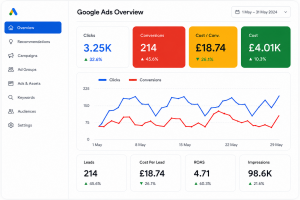
In this guide, you'll learn:
Whether Google Ads is worth it
How much you should spend
Who should (and shouldn't) use it
Google Ads vs SEO
Common mistakes to avoid
QUICK ANSWER
Yes - Google Ads is worth it for many businesses. If people are actively searching for your products or services and your website is designed convert visitors into enquiries. Google Ads can be one of the fastest and most measurable marketing channels available. However, it's not the right solution for every business.
Google Ads in 2026 : Key statistics
8.5B
Google handles over 8.5 billion searches every day. Source: Internet Live Stats
65%
of high-intent searches result in clicks on Google Ads. Source: WordStream
2X
Businesses make an average of $2 for every $1 spent on Google Ads. Source: Google
89%
of marketers say Google Ads is their most effective channel. Source: WebFX
76%
of local searches on mobile lead to a visit within 24 hours Source: Think with Google
When Google Ads is worth it
- You need leads quickly
- People search for your service
- Your website converts visitors
- You know your profit margins
- You can answer enquiries quickly
- You have a realistic and consistent budget
- You want measurable results
When Google Ads isn't worth it
- Nobody searches for your service
- You have no website or a poor website
- You expect instant results with no effort
- You don't answer or follow up enquiries
- Your profit margins are too low
- You don't track conversions
- You aren't willing to optimise campaigns
How Google Ads costs work
Your results (and costs) depend on several factors"
Keyword competition
More competition usually means higher costs.
Quality score
Better quality scores can lower your costs.
Budget
You set the budget, Google controls the spend.
Your offer
Your ad & landing page affect your performance.
Results
The right mix delivers leads and sales.
There's no fixed price for Google Ads. We focus on getting you the best possible results for your budget.
Google Ads vs SEO
Google Ads
- Time to results - Immediate
- Traffic type - Paid
- Speed - fast
- Cost - Ongoing
- Best for - Quick leads & testing
- Control - High
- Measurability - Very high
SEO
- Time to results - Long-term
- Traffic type - Organic
- Speed - Slower
- Cost - Lower-long term
- Best for - Sustainable growth
- Control - Lower
- Measurability - High
The best approach?
For most businesses, the strongest strategy combines both. Google Ads generates leads today. SEO builds long-term visibility for tomorrow.
Google Ads readiness checklist
Can you answer YES to most of these?
People search for my service
I know my profit margins
My website is mobile optimised and converts visitors
I answer enquiries quickly
I have a consistent budget
I want measurable growth
Frequently asked questions
For many businesses, yes. Google Ads can be one of the fastest ways to generate qualified leads because your adverts appear when people are actively searching for your products or services. The key to success isn’t simply increasing your budget, it’s targeting the right keywords, having a high-converting website and continuously optimising your campaigns.
Yes, Google Ads can work exceptionally well for small businesses, particularly those offering local services such as electricians, plumbers, accountants, solicitors and tradespeople. Even with a modest budget, a well-managed campaign can generate high-quality enquiries if there is enough search demand.
There isn’t a one-size-fits-all answer. Your budget should depend on your industry, competition and business goals. Rather than asking how much you should spend, it’s better to ask what a new customer is worth to your business. A profitable Google Ads campaign should generate a return that outweighs your advertising costs.
One of the biggest advantages of Google Ads is speed. Your campaigns can begin appearing in search results within hours of being approved. However, achieving consistent results usually requires ongoing testing and optimisation over several weeks.
Google Ads and SEO serve different purposes. Google Ads delivers immediate visibility and can generate leads quickly, while SEO is a long-term investment that builds sustainable organic traffic. Many successful businesses use both together, with Google Ads driving short-term enquiries while SEO builds long-term growth.
Google Ads often gets blamed when campaigns don’t perform, but poor results are usually caused by issues such as targeting the wrong keywords, weak landing pages, inaccurate conversion tracking or a lack of ongoing optimisation. With the right strategy, many underperforming campaigns can be significantly improved.
Yes, Google Ads is available to everyone and many business owners choose to manage their own campaigns initially. However, as campaigns become more competitive, expert management can help reduce wasted spend, improve conversion rates and maximise your return on investment.
No. Google Ads can increase your visibility and drive relevant traffic to your website, but it cannot guarantee enquiries or sales. Success depends on several factors, including your offer, website, competition, pricing and how well your campaigns are managed.
Absolutely. Local businesses often benefit because Google Ads targets people searching for services in specific areas. If someone searches for “electrician in Crewe” or “SEO agency Cheshire”, your advert can appear at the exact moment they’re looking for a provider, making Google Ads one of the most effective lead generation channels for local businesses.
Google Ads is usually worth considering if:
People actively search for your products or services.
You have a professional website that converts visitors into enquiries.
You understand the value of a new customer.
You’re prepared to invest consistently rather than expecting overnight success.
If you’re unsure, a Google Ads audit or strategy session can help determine whether it’s the right marketing channel before committing to ongoing advertising.
Still unsure whether Google Ads is worth it?
Book a free strategy call and we'll give you honest, expert advice based on your business.
Want to receive regular business tips and insights from Co Thought Digital?
The Ultimate Small Business SEO Guide (2026)
The Ultimate Small Business SEO Guide (2026)
Written by Kirsty Wright, founder of Co Thought Digital
Published 2nd April, 2026
Everything You Need to Know to Improve Your Google Rankings
If you’re a small business owner, you’ve probably heard that SEO is one of the best ways to generate consistent website traffic. But with constant algorithm updates, conflicting advice and technical jargon, it’s easy to feel overwhelmed.
The good news is that successful SEO doesn’t have to be complicated.
At its core, search engine optimisation is about making it easier for potential customers to find your business when they’re searching online. Whether you run a local service business, an ecommerce store or a professional practice, investing in SEO can help you attract more visitors, generate more enquiries and reduce your reliance on paid advertising.
This guide explains everything you need to know about SEO for small businesses, from keyword research and website optimisation to content creation and local SEO.
What is SEO?
SEO (Search Engine Optimisation) is the process of improving your website so it appears higher in search engine results.
When someone searches Google for a product, service or question, Google’s job is to provide the most useful and relevant results. SEO helps search engines understand what your website is about and why it deserves to rank above your competitors.
Unlike paid advertising, SEO focuses on earning organic visibility. While it takes time to build momentum, the long-term benefits often make it one of the highest-return marketing channels available.
A successful SEO strategy helps you:
- ● Increase organic traffic
- ● Generate qualified leads
- ● Improve brand awareness
- ● Build trust with potential customers
- ● Create long-term business growth
Why SEO Matters for Small Businesses
Large companies often have significant marketing budgets, but SEO gives small businesses an opportunity to compete by creating valuable content and providing a better online experience.
People searching on Google are often actively looking for a solution. If your website appears when they’re ready to buy, you’re reaching customers at one of the most valuable stages of the buying journey.
SEO can also reduce your dependence on paid advertising. Rather than paying for every website visitor, your content continues attracting traffic long after it’s published.
How Google Decides Which Websites Rank
Google considers hundreds of ranking factors when deciding which websites deserve to appear on the first page.
While nobody knows the exact algorithm, some of the most important ranking factors include:
Relevant Content
Your content should answer the user’s question clearly and completely.
Website Experience
Fast loading pages, mobile-friendly design and clear navigation all contribute towards a positive user experience.
Authority
Websites with strong reputations and high-quality backlinks generally perform better in search results.
Technical SEO
Google needs to crawl and understand your website. Technical issues such as broken links, duplicate pages and indexing problems can limit your visibility.
Step 1: Keyword Research
Keyword research is the foundation of every SEO campaign.
Before creating content, you need to understand what your customers are actually searching for.
Instead of guessing, use free tools such as:
- ● Google Keyword Planner
- ● Google Search Console
- ● Google Autocomplete
- ● People Also Ask
- ● Google Trends
When researching keywords, focus on search intent rather than simply choosing the highest search volume.
For example:
Good keyword
Emergency plumber Manchester
Less effective keyword
Plumber
Long-tail keywords are often easier to rank for and usually attract visitors who are closer to making a purchasing decision.
Step 2: Optimise Your Website
Once you’ve identified your target keywords, the next step is ensuring your website is properly optimised.
This includes:
- ● Clear page titles
- ● Well-written meta descriptions
- ● Descriptive headings
- ● Optimised images
- ● Internal links
- ● Mobile responsiveness
- ● Fast loading speeds
Every page should have a clear purpose and answer the questions users are searching for.
Step 3: Create Helpful Content
Content remains one of the strongest ranking signals.
Rather than creating content purely for search engines, focus on helping your audience solve problems.
Ideas include:
- ● How-to guides
- ● Frequently asked questions
- ● Industry news
- ● Buying guides
- ● Case studies
- ● Customer success stories
- ● Comparison articles
The more useful your content is, the more likely it is to earn backlinks and rank well.
Step 4: Improve Your Local SEO
If your business serves customers in a specific area, local SEO should form an important part of your strategy.
Some quick wins include:
- ● Optimising your Google Business Profile
- ● Collecting customer reviews
- ● Creating location-specific pages
- ● Keeping your business information consistent
- ● Building local citations
Local SEO helps you appear in Google Maps and local search results when nearby customers are looking for your services.
Step 5: Build Authority
Google wants to recommend businesses it trusts.
One of the strongest trust signals is backlinks from reputable websites.
Good ways to build authority include:
- ● Publishing useful content
- ● Digital PR
- ● Guest articles
- ● Industry partnerships
- ● Local business directories
- ● Community involvement
Avoid buying backlinks or using spammy link-building techniques, as these can do more harm than good.
Common SEO Mistakes
Many businesses unknowingly hold their websites back.
Some of the most common mistakes include:
- ● Targeting the wrong keywords
- ● Publishing thin or duplicate content
- ● Ignoring technical SEO
- ● Slow website performance
- ● Poor mobile usability
- ● Missing metadata
- ● Broken internal links
- ● Neglecting local SEO
- ● Expecting instant results
SEO is a long-term investment, and consistency almost always outperforms shortcuts.
How Long Does SEO Take?
SEO isn’t an overnight solution.
Depending on your industry and competition, you may begin seeing improvements within a few months, but meaningful growth typically takes between six and twelve months.
The businesses that achieve the strongest results are usually those that invest consistently rather than looking for quick wins.
Can You Do SEO Yourself?
Absolutely.
Many small businesses successfully improve their SEO by learning the fundamentals and applying best practices consistently.
However, SEO can become increasingly technical as your website grows. If you lack the time or expertise, working with an experienced SEO agency can help you achieve results more quickly while avoiding costly mistakes.
When Should You Hire an SEO Agency?
If you’re struggling to improve your rankings, don’t have time to manage SEO internally or want to accelerate your growth, partnering with an experienced agency can be a worthwhile investment.
A professional SEO agency can help with:
- ● Technical SEO audits
- ● Keyword research
- ● Content strategy
- ● Local SEO
- ● Website optimisation
- ● Link building
- ● Ongoing reporting and strategy
Rather than guessing what works, you’ll have a clear roadmap focused on measurable business growth.
Final Thoughts
SEO remains one of the most effective digital marketing strategies available to small businesses.
While it requires patience and consistency, the long-term benefits often outweigh almost every other marketing channel. By understanding your audience, creating genuinely helpful content and continually improving your website, you can build sustainable organic growth that delivers leads and sales for years to come.
If you’d like expert support with your SEO strategy, CoThought Digital helps businesses improve their search visibility through tailored SEO campaigns, technical optimisation and content marketing. Whether you’re just getting started or looking to take your website to the next level, we’re here to help.
Frequently Asked Questions
SEO (Search Engine Optimisation) is the process of improving your website so it appears higher in search engine results when potential customers are looking for your products or services. For small businesses, SEO is one of the most cost-effective ways to increase online visibility, attract qualified traffic and generate enquiries without relying solely on paid advertising.
SEO is a long-term investment rather than a quick fix. While some improvements can be seen within a few weeks, most businesses start to notice meaningful increases in rankings and organic traffic within three to six months. More competitive industries may take longer, but a consistent SEO strategy delivers sustainable growth over time.
Yes, many small business owners choose to manage their own SEO, especially when starting out. Learning the basics, such as keyword research, content creation and on-page optimisation, can make a significant difference. However, as your website grows, technical SEO and ongoing optimisation can become more complex, which is why many businesses choose to work with an experienced SEO agency.
SEO and Google Ads both have their place within a successful digital marketing strategy. Google Ads can generate immediate traffic, while SEO focuses on building long-term organic visibility. Unlike paid advertising, SEO continues to deliver value over time, helping your website attract visitors without paying for every click.
Google uses hundreds of ranking factors, but some of the most important include high-quality content, relevant keywords, fast page speed, mobile-friendly design, website security, technical performance, user experience and backlinks from reputable websites. Creating helpful content that genuinely answers users’ questions remains one of the most effective ways to improve your rankings.
SEO is an ongoing process, so it’s important to review and update your website regularly. Refreshing existing content, publishing new articles, improving page performance and fixing technical issues all help keep your website relevant to both search engines and your audience. Reviewing your content every few months is a good practice for most small businesses.
Traditional SEO focuses on improving your website’s visibility nationally or internationally, while local SEO helps your business appear in location-based searches. If you rely on customers within a specific town, city or region, local SEO includes optimising your Google Business Profile, collecting customer reviews and creating location-specific content to improve your visibility in local search results.
If you’re struggling to improve your rankings, don’t have the time to manage SEO yourself or want to accelerate your growth, partnering with an SEO agency can be a smart investment. An experienced agency can provide technical expertise, develop a tailored strategy and continually optimise your website, allowing you to focus on running your business while your online visibility continues to grow.
About the Author
Kirsty Wright is an SEO and PPC specialist who helps businesses grow their online visibility through strategic search marketing. With hands-on experience managing SEO and paid advertising campaigns across a variety of industries, she specialises in driving organic traffic, improving search performance, and generating measurable business results. Kirsty regularly researches and tests the latest developments in AI-powered search, including Google AI Overviews, helping businesses understand how search is evolving and how to maximise their visibility in both traditional and AI-generated search results.
How Branded Touchpoints Influence Trust, Perception and Buying Decisions
How Branded Touchpoints Influence Trust, Perception and Buying Decisions
Written by Vaishali Shah, founder of Creative ID
Published 8th June, 2026
Customers are harder to win than they were three years ago. Not because your offer has got worse. Because trust itself has become more difficult to earn and the bar for what feels credible has moved and the need to stand out amongst the noise and competition is greater than ever.
When enquiries dry up or sales go quiet, the instinct is to question the product, the price or the marketing spend. But often the issue isn’t any of those things. It’s the experience a customer moves through before they ever make a decision. And most businesses have never looked at it properly.
Every time a customer interacts with your business, that’s a touchpoint. The social media post that catches their eye. The website they land on. The email signature on every message you send. The branding on your contracts and proposals. The background of your Zoom call.The follow-up, or the lack of one. All of it quietly communicates something about who you are and whether you can be trusted.
According to Attest’s 2026 consumer trends report, trust has become a primary driver of both purchase decisions and brand switching. Capgemini’s 2026 research found that consistent policies and transparent communication now sit alongside price as key loyalty drivers. Every touchpoint either earns a little more confidence or chips away at it. Trust is the new currency.
How Touchpoints Build, or Break, Trust
By the time someone enquires or buys, they’ve often already decided they trust you enough. That decision accumulated across every interaction they had with your brand, many of which they won’t even remember consciously.
The brain is looking for signals that add up. Does this feel considered? Does it feel like someone is in control? When the signals add up, there’s confidence. When they don’t, something feels slightly off and most customers won’t know why. They’ll just move on.
That’s the sale you never knew you lost.
How Touchpoints Shape Perception
Perception isn’t necessarily formed from your best piece of work. It’s formed from everything a customer sees, reads and experiences across every interaction. And today, a potential client needs more interactions than ever before to feel ready to commit.
Think about a restaurant with a beautifully designed menu and lovely interiors. Scroll through their Instagram and its blurry phone shots and captions that sound nothing like the experience they’re selling. Perception has already shifted before the customer has even booked. Or a product business whose website feels premium and personal. The order arrives in a plain unbranded bag. There’s no note inside, no moment that says this was made with care.
When execution drifts, the social content shifts in tone, the newsletter sounds like a different company wrote it and the packaging doesn’t match the price point. Together it creates an impression of a brand that doesn’t quite hold together. And that costs trust, even when the product is really good.
How Touchpoints Drive, or Delay, Buying Decisions
That feeling, whether someone trusts you or not, was built long before they got to the decision stage. It came from your touchpoints. The care in your copy. The warmth of your response to an enquiry. The sense that someone thoughtful is behind the business. How a founder is showing up.
The less known or invisible touchpoints, as I refer to them, are often the ones after the sale. The confirmation email. The delivery. Whether anyone followed up. Get it right and you have someone who returns and brings others. Get it wrong and you may still win the client. You just won’t keep them.
Where to Start
Map every point of contact a customer has with your business, from first discovery through to after the purchase. Does each one feel like it belongs to the same brand? Does the tone hold? Is there anything missing? It’s also worth asking whether touchpoints that served you at launch still serve you now. Audiences shift and markets move. Make this an exercise you return to regularly, not a one-time audit.
If you’re unsure, ask someone outside the business to move through the journey as a customer would. Fresh eyes find the things familiarity hides.
Start with what feels most out of step. Two or three touchpoints is enough to begin. A more considered order confirmation. A caption that sounds like the same person as your website. A warm follow-up that makes someone feel noticed. Your onboarding process for a new client. Small things done with intention shift how a brand feels overall, faster than most expect.
The goal isn’t perfection. It’s everything holding together. When every part of the experience feels like it came from the same place, people feel it. They won’t always know why. But they’ll trust you for it.
If this has sparked something, here are a few ways to take it further. And if you want to bemore intentional about your brand touchpoints, make your sales process easier and build abrand that people remember and trust, the team at Creative ID would love to hear from you.
● Download our free Touchpoint Checklist: Not sure where your brand might be losing trust? Our Touchpoint Checklist helps you audit every touchpoint your customers encounter, so you can find the gaps, fix them and start showing up consistently
everywhere it matters. Get it free from our Resources area.
● Sign Up for Free Inspiration: Introducing Crop Mark, where we curate news, innovative finds, helpful resources and our top recommendations. It’s a monthly dose of creativity, perfect for a quick read between meetings, a relaxing moment with your drink of choice or whenever suits you best. presence.
● Book a Touchpoint Power-Up Consultation: Ready for a brand boost? In our Touchpoint Power-Up Hour, we use our Touchpoint Performance Framework to assess your key touchpoints, evaluate their effectiveness and offer actionable steps to strengthen your brand presence.
About the Author
Vaishali Shah is the Founder and Creative Director of Creative ID, a branding and creative agency with 26 years of experience working with inspirational brands across the UK and UAE.
She specialises in joining the dots between branding, marketing and customer experience to create brands that get noticed and build lasting trust.
Vaishali and her team believe that great branding is not just about how a business looks. It is about how consistently and confidently it shows up at every touchpoint. That consistency is what builds the trust that turns visitors into clients and clients into advocates.
Connect with Vaishali
vrshah@creative-id.com
UK: +44 20 7242 1877 | UAE: +971 52 545 8731
Why Personal Branding on LinkedIn is the New Growth Engine for CheshireBusinesses
Why Personal Branding on LinkedIn is the New Growth Engine for Cheshire Businesses
Written by Katie Sands, founder of Bath Digital Marketer
Published 5th June, 2026
The Shift from "Corporate" to "Connected"
In the age of AI and automated marketing, people are craving human connection more than ever. There are plenty of thriving business hubs in Wilmslow, Chester and Knutsford. However, faceless brands are struggling in these tight-knit communities because business in these areas has always been built on local reputation.
In a community where people frequently cross paths at local events or the same coffee shops, an anonymous business lacks the credibility that comes from a recognisable face.
Today, the “human” behind the business has become the defining factor for trust, which is why it’s essential for founders to be visible on LinkedIn. Personal branding is a key strategic business asset that shortens sales cycles and amplifies digital marketing efforts.
What is Personal Branding (and What It’s Not)
Personal branding is not just a professional headshot; it’s about showcasing your expertise, your values, and your personality.
It is how others perceive you and what makes you stand outfrom the crowd.
It’s not about being an influencer or posting what you had for lunch. It’s about building authority leadership and being relatable to your target audience.
Why LinkedIn? Local Business Advantages
LinkedIn is where Cheshire’s decision-makers hang out, from CEOs to boutique owners. UnlikeInstagram or Facebook, LinkedIn’s algorithm in 2026 rewards professional expertise, long-form value, and dwell time (the actual minutes a user spends reading or watching your content).
A long, well-structured post, like an article or PDF document, signals that you are an authority who has something valuable to say. The longer people stay on your post, the LinkedIn algorithm will interpret it as being high-quality content and will push it out to more people keeping you visible on the platform.
Using LinkedIn’s search filters, you can find and connect directly with Managing Directors or Partners within a 10-mile radius of a specific location like Chester. It provides an opportunity to explore a warm network of recognisable names instead of a cold local market.
LinkedIn profiles and articles are searchable, supporting SEO because Google indexes them.When a potential customer or client searches for you, your LinkedIn profile will usually show above your website in the search results.
For local businesses, LinkedIn profiles serve as active landing pages or shopfronts. Your activity
on the platform will be more effective and successful than email outreach.
Why People Buy from People
The fundamental psychology of sales remains unchanged: people buy from people they know, like, and trust. While digital storefronts are essential, they often lack the warmth and personality that truly convert interest into action. When you invest in personal branding on LinkedIn, you aren’t just broadcasting services; you are building a relationship before a formal conversation even begins.
In regions like Cheshire, where professional ecosystems are tightly knit, your reputation is your strongest asset. Personal branding allows you to take the power of traditional, localised word-of-mouth recommendations and scale them across digital channels.
Consider these key drivers for why a human-centric approach wins:
● Reduced Friction: Familiarity removes the skepticism typically associated with cold outreach.
● Demonstrated Expertise: Sharing insights proves capability in real-time, unlike a static”About Us” page.
● Shared Values: Prospects align with the person behind the brand, creating deeper loyalty.
If you had to choose between two local SEO agencies – one that simply displays a corporate logo, and one where the founder shares weekly, actionable insights on LinkedIn – who would you prefer to work with? The choice is almost always the individual who shows up, provides value, and invites you into their professional world. By showing your face and sharing your voice, you turn a commodity service into a personal partnership, making you the obvious choice for clients who value authenticity.
Pillars of a Powerhouse LinkedIn Profile
Building a high-performing profile requires moving beyond a basic resume. To turn your page into a lead-generation tool, focus on these three pillars:
● The Visuals: Your headshot, banner, and headline are your digital first impression. Use a high-quality photo and a banner that highlights your value proposition, not just your company logo.
● The “About” Section: Shift from a rigid, CV-style list of history to a client-centric narrative. Speak directly to your reader’s pain points and how you solve them.
● The Featured Section: Treat this as a strategic mini-landing page. Showcase your best content, service packages, or lead magnets to drive immediate action.
By aligning these elements, you transform your profile from a static document into a compelling reason for potential clients to reach out. When your profile clearly communicates who you helpand why you are the expert, you stop chasing leads and start attracting them instead.
Content Strategy: What Should Cheshire Leaders Actually Post?
Consistency is the biggest hurdle for business leaders, but the solution isn’t constant selling; it’s providing genuine value. Adopt the 4:1:1 Rule: for every six posts, four should provide educational or entertaining value, one should be a “soft” insight or community highlight, and only one should be a direct sales pitch. This balance keeps your audience interested without feelinglike they are being constantly sold to.
For Cheshire-based businesses, content should feel grounded and relatable:
● Behind-the-Scenes: Showcase a live project in the local area. Whether it’s a site visit ora team brainstorm, showing your process builds transparency.
● Demystifying Jargon: Take complex topics like AI integration or shifting tax laws and explain them in plain English. Positioning yourself as the “translator” builds immense trust.
● Community Spotlights: Highlight local partnerships. Celebrating other Cheshire businesses or community events reinforces your commitment to the region.
Finally, lean into “raw” video content. High-production videos can sometimes feel overly corporate or detached. Yet a simple, handheld video discussing a recent industry hurdle feels genuine and accessible.
Networking & Engagement: Building Your Local Digital Ecosystem
Your LinkedIn presence shouldn’t be a one-way broadcast; it must be a vibrant community. The most common mistake is posting and not participating in conversations. By engaging thoughtfully with the posts of others, you increase your visibility within your target network and signal that you are an active, approachable authority.
To build a robust LinkedIn presence in Cheshire, adopt a more intentional approach:
● Strategic Connecting: Search for Cheshire business owners by industry and location. Engage with their content before sending a personalised connection request.
● The “Handshake” Effect: Treat LinkedIn as the precursor to real-world connection.Your goal is to move the conversation from a comment thread to a face-to-face coffee meeting.
● Localised Value: Whether meeting in Alderley Edge or Crewe, a virtual foundation makes the physical handshake feel like a natural continuation of a conversation that has already begun.
By prioritising interaction over output, you transform digital acquaintances into tangible local partnerships.
Future-Proofing Your Business
Your LinkedIn profile is more than a digital resume; it is your most valuable business asset. In a competitive market, personal branding is how you future-proof your growth. Start today, stay consistent, and share your expertise. By showing up as yourself, you turn your digital presence into your greatest growth opportunity.
About the Author
Katie Sands is the founder of Bath Digital Marketer, a social media consultancy dedicated to helping service-based businesses transform their digital presence into a lead-generation tool.
With a specialty in LinkedIn training and strategic content, Katie empowers business owners to step out from behind their business logo and become the go-to experts in their field.
Based in Bath but working with clients across the UK, Katie combines data-driven strategy with a passion for authentic storytelling.Connect with Katie

How to set up a Google Ads campaign that converts
How to set up a Google Ads campaign that actually converts
Published 24/04/2026
Setting up a Google Ads campaign is easy.
Setting one up that actually drives conversions and makes money is where most businesses fail.
If you don’t get the fundamentals right—keywords, structure, tracking—you’ll burn budget fast with little return.
This step-by-step guide will show you exactly how to set up a Google Ads campaign properly.
How to set up a Google Ads campaign: What you need first
Before opening Google Ads, make sure you have:
– A clear goal (leads, sales, bookings)
– A high-converting landing page
– Conversion tracking in place
– A defined target audience
Skipping this step is one of the biggest reasons campaigns fail.
Step 1: How to do keyword research for Google Ads campaigns
Keywords determine who sees your ads.
Focus on high-intent keywords, such as:
– “hire digital marketing agency”
– “buy running shoes online”
– “google ads services near me”
Tips for better keyword research:
– Prioritise commercial intent keywords
– Use long-tail keywords (less competition, higher conversion rate)
– Avoid overly broad terms early on
The goal isn’t traffic—it’s qualified traffic.
Check out the free guide ‘where to get keywords for free’.
Step 2: Google Ads campaign structure (campaigns, ad groups & keywords)
A clean structure improves performance and reduces costs.
Recommended structure:
– Campaign: Overall goal (e.g. Lead Generation)
– Ad Groups: Tight keyword themes
– Keywords: Closely related search terms
Example:
– Campaign: Google Ads Services
– Ad Group 1: “google ads agency”
– Ad Group 2: “ppc management services”
Each ad group should have highly relevant ads and keywords.
Step 3: How to write Google Ads that convert
Your ad determines whether users click, and whether the right users click.
High-converting ads include:
– The keyword in the headline
– A clear benefit (not just features)
– A strong call-to-action (CTA)
Example CTA:
– “Get a Free Quote”
– “Book a Consultation”
Your ad should match the user’s intent exactly.
Step 4: Choosing the right Google Ads bidding strategy
Your bidding strategy controls how your budget is spent.
Common options include:
– Manual CPC (more control)
– Maximise Conversions (automation)
– Target CPA (cost control)
If you’re unsure which to choose, read: google ads bidding strategies.
Step 5: How to set up conversion tracking in Google Ads
Without tracking, you’re guessing.
You need to track actions like:
– Form submissions
– Purchases
– Phone calls
Conversion tracking allows you to:
– Measure ROI
– Optimise campaigns
– Scale what works
This is non-negotiable.
Step 6: Launching your Google Ads campaign
Before you hit “publish,” check:
– Keywords are relevant
– Negative keywords are added
– Location targeting is correct
– Budget is realistic
– Ads are aligned with landing pages
Small mistakes here can waste a lot of budget.
Common mistakes when setting up Google Ads campaigns
Avoid these:
– Targeting broad, low-intent keywords
– Sending traffic to poor landing pages
– Not using negative keywords
– Ignoring conversion tracking
– Choosing the wrong bidding strategy
FInal thoughts on setting up Google Ads campaigns
Setting up a Google Ads campaign isn’t just about launching-it’s about building a system that converts.
Once your campaign is live, the real work begins: optimisation.
Learn more about Google Ads optimisation or if you need any help with Google Ads management click here to find out more.
FAQs about setting up Google Ads campaigns
To set up a Google Ads campaign:
1) Define your goal
2) Choose keywords
3) Structure campaigns and ad groups
4) Write ads
5) Set bidding strategy
6) Add conversion tracking
7) Launch and optimise
You can start with as little as £10–£20 per day. However, competitive industries may require higher budgets to generate meaningful data.
Search campaigns are usually best for beginners because they target users with high intent who are actively searching.
You can see traffic immediately, but optimisation typically takes 2–4 weeks to generate consistent results.
Common reasons include:
– Poor keyword targeting
– Weak ad copy
– Bad landing pages
– No conversion tracking
PPC advertising guide 2026
What is Google Ads? A complete PPC advertising guide (2026)
Published 21/04/2026
If you want to get your business in front of customers immediately, Google Ads is one of the most powerful tools available.
Unlike SEO, which can take months to build traction, Google Ads allows you to appear at the top of search results almost instantly. However, to use it effectively, you need to understand how PPC advertising works.
This guide will walk you through everything you need to know.
What is PPC advertising?
PPC (pay-per-click) advertising is a digital marketing model where you pay each time someone clicks on your ad.
Instead of earning traffic organically, you’re essentially buying visits to your website.
The most popular PPC platform is Google Ads, which allows businesses to show ads on:
– Google search results
– YouTube
– Partner websites
– Mobile apps
The key advantage of PPC is intent targeting. You’re reaching people who are actively searching for what you offer.
What is Google Ads and how does it work?
Google Ads is Google’s advertising platform that runs on an auction system.
Every time someone searches on Google, an auction happens in milliseconds to decide which ads appear.
Here’s what determines whether your ad shows:
– Your bid (how much you’re willing to pay per click)
– Ad relevance (how closely your ad matches the search)
– Expected click-through rate (CTR)
– Landing page experience
These factors combine into something called Quality Score, which heavily influences your costs and performance.
Note: The highest bidder doesn’t always win – the most relevant advertiser does.
How Google Ads works - Keywords, bidding and auctions
At the core of Google Ads are keywords.
When someone searches for a keyword like:
- “electrician near me”
- “emergency plumber”
Google scans advertisers bidding on those keywords and runs an auction.
The Basic Process:
1) You choose keywords relevant to your business
2) You create ads targeting those keywords
3) You set a bid (max cost per click)
4) Google ranks ads based on Quality Score + bid
5) You pay only when someone clicks
This is why PPC is so powerful—it connects you with users at the exact moment of intent.
Types of Google Ads Campaigns explained
Google Ads isn’t just search ads. There are multiple campaign types, each suited to different goals:
1. Search Campaigns
Text ads that appear on Google search results pages.
– Best for high-intent leads
2. Display Campaigns
Visual banner ads across websites.
– Best for awareness and retargeting
3. Video Campaigns
Ads shown on YouTube.
– Best for brand awareness and engagement
4. Performance Max
AI-driven campaigns across all Google channels.
– Best for scaling with automation
Key PPC advertising terms you need to know
Understanding these core terms will help you avoid costly mistakes:
– CPC (Cost Per Click): How much you pay per click
– CTR (Click-Through Rate): % of users who click your ad
– Conversion Rate: % of visitors who take action
– Quality Score: Google’s rating of your ad relevance
– Impressions: How many times your ad is shown
These metrics determine whether your campaigns are profitable or not.
Why businesses use PPC advertising (Pros and cons)
Advantages:
– Instant visibility
– Highly targeted traffic
– Scalable campaigns
– Measurable ROI
Disadvantages:
– Costs can add up quickly
– Requires ongoing optimisation
Competitive industries can be expensive
The key is not running ads, but running them efficiently.
Is Google Ads right for your business?
Google Ads works best when:
– You have clear customer demand
– Your service solves an immediate problem
– You can convert traffic effectively
It may not work well if:
– Your offer is unclear
– Your margins are too low
– Your website doesn’t convert
Traffic alone isn’t enough- conversion matters.
How to get started with Google Ads
If you’re ready to begin, the next step is learning how to structure a campaign properly.
A poorly set up account can waste budget fast, while a well-structured one can generate consistent leads.
Google Ads is one of the fastest ways to grow a business online, but only if you understand how it works.
This PPC advertising guide gives you the foundation. From here, the real results come from:
– Setup
– Continuous optimisation
– Data-driven decisions
If you get those right, Google Ads can become one of your most profitable marketing channels.
FAQs
PPC (pay-per-click) advertising is a model where you pay each time someone clicks on your ad. Instead of waiting for organic traffic, you can instantly appear in search results and drive visitors to your website.
Google Ads works by allowing advertisers to bid on keywords. When users search for those keywords, Google runs an auction and displays the most relevant ads based on bid, quality, and expected performance.
PPC and SEO serve different purposes:
– PPC delivers immediate traffic
– SEO builds long-term organic visibility
The best strategy is usually a combination of both.
There’s no fixed cost. You can set your own budget, and costs vary depending on:
– Industry competition
– Keyword demand
– Target audience
Some clicks may cost under £1, while others can exceed £20+ in competitive markets.
Yes, if campaigns are set up and optimised correctly. Google Ads is especially effective for businesses that:
– Offer high-value services
– Target high-intent keywords
– Have strong landing pages
You can start getting clicks and traffic within hours of launching a campaign. However, meaningful performance improvements usually take 2–4 weeks of optimisation.
Mastering AI Overviews: Tips to Boost Your Visibility Online
How to Appear in AI Overviews: 12 Proven Ways to Increase Your Visibility
Written by Kirsty Wright, founder of Co Thought Digital
Published 11th June, 2026
As AI-powered search continues to evolve, appearing in Google’s AI Overviews has become one of the biggest opportunities for businesses looking to increase their online visibility.
Traditional SEO is still important, but ranking in the top positions is no longer the only goal. Increasingly, users are getting answers directly from AI-generated summaries that appear above organic search results. If your content is cited within those summaries, you can gain valuable exposure, establish authority, and attract highly qualified visitors.
In this guide, we’ll explain how AI Overviews work, how Google selects sources, and the practical steps you can take to improve your chances of appearing in AI-generated search results.
What Are AI Overviews?
AI Overviews are AI-generated summaries that appear within Google Search for certain queries. Rather than displaying a list of links alone, Google uses artificial intelligence to generate an answer by combining information from multiple trusted sources.
These summaries are designed to help users find answers more quickly, particularly for complex questions, comparisons, and informational searches.
For website owners, this creates a new challenge and opportunity. Instead of simply trying to rank first in organic search results, businesses now need to optimise their content to become a source that AI systems trust and reference.
Why Being Featured in AI Overviews Matters
Appearing in AI Overviews can provide several benefits:
● Increased brand visibility at the top of search results
● Greater authority and trustworthiness
● More exposure for informational content
● Improved brand recognition, even when users don’t click
● Additional traffic opportunities from cited sources
As AI search evolves, businesses that adapt early are likely to gain a competitive advantage over those relying solely on traditional SEO tactics.
How Does Google Choose Sources for AI Overviews?
Google has not published a definitive checklist for inclusion in AI Overviews. However, analysis of cited sources reveals several consistent patterns.
Content that appears in AI Overviews typically demonstrates:
● Expertise: Google wants to surface information from sources that demonstrate genuine knowledge and experience.
● Clear Answers: Content that directly answers a user’s question is easier for AI systems to understand and summarise.
● Topical Authority: Websites that cover a topic comprehensively are more likely to be viewed as trustworthy sources.
● Strong Trust Signals: Author profiles, citations, references, reviews and brand mentions all contribute to credibility.
● Fresh Information: Regularly updated content is often preferred, especially for topics that evolve quickly.
12 Ways to Increase Your Chances of Appearing in AI Overviews
1. Answer Questions Directly
One of the most effective ways to optimise for AI Overviews is to answer questions clearly and concisely.
For example, instead of spending several paragraphs introducing a topic, provide a direct answer near the top of the page before expanding further.
This helps both users and AI systems understand your content quickly.
2. Build Topical Authority
Publishing one article on a subject is rarely enough.
Google increasingly rewards websites that demonstrate expertise across an entire topic area.
If you want to rank for AI search-related terms, consider creating content around:
● AI Overviews
● Generative Engine Optimisation (GEO)
● Semantic SEO
●EEAT
● Entity SEO
● Structured Data
● Technical SEO
A topic cluster approach helps establish your site as an authoritative resource.
3. Share Original Experience and Insights
Content based on real-world experience often performs better than generic AI-generated content.
Consider including:
● Case studies
● Screenshots
● Testing results
● Client examples
● First-hand observations
Unique insights give AI systems something valuable to reference and differentiate your content from competitors.
4. Strengthen EEAT Signals
Google’s EEAT framework remains highly relevant in AI search.
EEAT stands for:
● Experience
● Expertise
● Authoritativeness
● Trustworthiness
You can strengthen these signals by:
● Adding author biographies
● Displaying credentials
● Including company information
● Publishing original research
● Maintaining accurate contact details
The more trust signals you provide, the easier it becomes for search engines to evaluate your credibility.
5. Use Structured Data
Schema markup helps search engines understand your content more effectively.
Consider implementing:
● Article Schema
● FAQ Schema
● Organisation Schema
● Person Schema
● Breadcrumb Schema
While schema markup won’t guarantee inclusion in AI Overviews, it improves content understanding and discoverability.
6. Become a Recognisable Entity
Google increasingly relies on entities rather than keywords alone.
An entity is a person, business, organisation, or concept that Google can clearly identify and understand.
To strengthen your entity signals:
● Maintain consistent branding across platforms
● Optimise your Google Business Profile
● Build professional social media profiles
● Earn mentions from reputable websites
● Ensure your business information is consistent online
The stronger your entity presence, the easier it becomes for AI systems to trust your content.
7. Earn High-Quality Backlinks and Mentions
Links remain an important signal of authority.
Focus on acquiring links from:
● Industry publications
● Relevant blogs
● Professional associations
● News websites
● Trusted directories
Additionally, unlinked brand mentions can also contribute to your overall authority.
8. Cover Topics Comprehensively
AI systems often favour content that covers a topic in depth.
Rather than creating thin articles targeting individual keywords, build comprehensive resources that answer multiple related questions.
Think beyond the primary keyword and address:
● Related concepts
● Common questions
● Challenges
● Benefits
● Best practices
● Frequently made mistakes
9. Optimise for Conversational Search
People increasingly search using natural language.
Instead of focusing solely on keywords, consider the questions users ask.
Examples include:
● How do I appear in AI Overviews?
● Why isn’t my website appearing in AI Overviews?
● How does Google select AI Overview sources?
● Does schema markup help AI Overviews?
Including these questions naturally throughout your content can improve relevance.
10. Improve Technical SEO
Technical SEO remains a foundational requirement.
Ensure your website has:
● Fast page speeds
● Mobile-friendly design
● Secure HTTPS implementation
● Clean URL structures
● XML sitemaps
● Proper indexing controls
11. Publish Original Research
Original data is often referenced because it provides unique value.
Examples include:
● Industry surveys
● Benchmark reports
● Market research
● Case study findings
● Proprietary datasets
If you can become the original source of information, your chances of being cited increase significantly.
12. Update Content Regularly
AI systems favour current and accurate information.
Review key pages regularly to:
● Update statistics
● Refresh examples
● Add new insights
● Remove outdated advice
● Expand sections where needed
Content freshness can improve both traditional rankings and AI Overview visibility.
Common Reasons Websites Don't Appear in AI Overviews
If you’re struggling to gain visibility, the following issues may be holding you back:
● Thin content with little original value
● Weak EEAT signals
● Limited topical authority
● Poor internal linking
● Lack of structured data
● Outdated information
● Insufficient backlinks or brand mentions
● Technical SEO issues
Addressing these fundamentals often produces improvements across both traditional search and AI-generated results.
Frequently Asked Questions
Focus on creating high-quality content that directly answers user questions, demonstrates expertise, and provides unique value. Strong EEAT signals, topical authority, and technical SEO can all improve your chances of being cited.
Yes. Google frequently cites smaller websites when they provide highly relevant, trustworthy, and expert information on specific topics.
Schema markup helps search engines understand your content more effectively. While it doesn’t guarantee inclusion, it can support your overall SEO and visibility efforts.
Yes. Backlinks and brand mentions continue to signal authority and trustworthiness, which can influence how search engines evaluate your content.
Comprehensive guides, tutorials, expert commentary, case studies, original research, and experience-based content are all commonly cited.
There is no guaranteed timeframe. Results depend on your site’s authority, content quality, indexing status, and the level of competition within your niche.
AI Overviews are changing how users discover information online, but the principles behind visibility remain familiar.
Websites that demonstrate expertise, answer questions clearly, build topical authority, and establish trust are most likely to succeed.
Rather than chasing shortcuts, focus on creating genuinely helpful content that serves your audience better than competing sources. By combining strong SEO fundamentals with a modern AI search strategy, you can significantly improve your chances of appearing in AI Overviews and future AI-driven search experiences.
About the Author
Kirsty Wright is an SEO and PPC specialist who helps businesses grow their online visibility through strategic search marketing. With hands-on experience managing SEO and paid advertising campaigns across a variety of industries, she specialises in driving organic traffic, improving search performance, and generating measurable business results. Kirsty regularly researches and tests the latest developments in AI-powered search, including Google AI Overviews, helping businesses understand how search is evolving and how to maximise their visibility in both traditional and AI-generated search results.
Performance Max new features. What’s changed & how to win with Google Ads in 2026
Performance Max New Features. What's Changed & How to Win With Google Ads in 2026
Written by Kirsty Wright, founder of Co Thought Digital
Published 7th April, 2026
If you’ve been running campaigns on Google Ads, you’ve likely noticed that Performance Max (PMax) is evolving fast. With constant updates and smarter automation, advertisers now have more control, better insights and stronger performance potential than ever before.
In this guide, we’ll break down the latest Performance Max new features, explain how they work and show you how to use them effectively. Whether you’re new or experiences, this article will help you stay ahead.
What is Performance Max Campaign in Google Ads?
Before diving into updates, let’s clarify the basics.
A Performance Max campaign is a goal-based campaign type that allows advertisers to access all of Google’s inventory from a single campaign. This includes:
Search, Display, YouTube, Gmail, Discover, Shopping.
Instead of managing separate campaigns, Google uses automation and machine learning to deliver ads across channels based on your goals.
So, to answer the question, the simplest answer is “It’s Google’s most automated campaign type designed to maximise conversions across all channels.
Is Performance Max Google Shopping?
A common question we get asked “Is Performance Max Google Shopping?”
The short answer: Not exactly, but it includes it.
Performance Max replaces Smart Shopping Campaigns and integrates Shopping ads into a broader ecosystem. This means:
– Your product feed is still essential
– Shopping ads are automatically served
– But they’re combined with other formats like video and display
So, Performance Max is more powerful than traditional Google Shopping, not a direct replacement.
Performance Max New Features
Google has introduced several important updates recently. Let’s explore the most impactful Performance Max new features.
1. Campaign-level demographic data
Performance Max has long aloowed advertisers to excluse demographic groups, but until recently, there was no clear visibility into how those audiences were performing at the individual campaign level. This made it difficult to make precise optimisatio decisions, as most insights had to be taken from account-wide data rather than campaign-specific performance.
What’s new:
– Google has now introduced campaign-level reporting for age and gender demographics
– This data can be found within the demographics section of your campaign insights
– Advertisers can now analyse how different demographic segments perform within each campaign, rather than relying on broader trends
Why it matters:
This update gives advertisers far greater control and accuracy when optimising campaigns. Instead of making assumptions, you can now identify underperforming demographic groups based on real data and exclude them where appropriate. The result is more efficient budget allocation and improved campaign performance.
2. Audience signal visibility
Audience signals in Performance Max have traditionally lacked transparency, making them something of a ‘black box’. While advertisers could provide signals to guide Google’s automation, there was little insight into how individual audiences within those signals were actually performing.
What’s new:
– Google is beginning to roll out enhanced reporting that shows performance data for both overall audience signals and the individual audiences within them
– Additionally, advertisers now have the ability to exclude specific audiences at the campaign level without removing them entirely from the signal setup
Why it matters:
This improvement allows for much more strategic optimisation. Advertisers can now refine audience taregting based on actual performance data rather than assumptions. As this feature becomes more widely available, it will significantly improve how campaigns are tailored, leading to better targeting, reduced wasted spend and stronger overall results.
Performance Max Google Ads Example
Let’s look at a simple Performance Max Google Ads example to bring it all together.
Scenario: Online clothing store
Goal: Increase online sales
Setup:
– Product feed connected via Merchant Center
– Asset groups created for categories (e.g. “Men’s jackets”)
– Audience signals: past website visitors & fashion enthusiasts
Ads shown across:
– Google Shopping results
– YouTube videos
– Display banners
– Search queries
Results:
– Increase conversions across multiple channels
– Better ROAS compared to separate campaigns
This demonstrates how Performance Max unifies everything into one streamline strategy.
Best Practices For Performance Max in 2026
To make the most of the Performance Max new features, follow these proven strategies:
1. Feed optimisation is critical
Your product feed impacts:
– Shopping ads
– Dynamic creatives
Optimise:
– Titles
– Descriptions
– Images
– Pricing
2. Use high-quality creative assets
Don’t rely solely on automation.
Provide:
– Strong headlines
– Engaging visuals
– Clear CTAs
3. Segment campaigns strategically
Instead of one campaign for everything:
– Segment by product category
– Separate high vs low margin products
4. Monitor insights regularly
Check:
– Asset performance
– Search term insights
– Audience signals
5. Be patient with learning phase
– Performance Max needs time
– Avoid making frequent changes in the first 2-3 weeks
FAQs
Performance Max is a fully automated campaign type that allows advertisers to run ads across all Google channels from one campaign, using AI to optimise performance.
No, but it includes Shopping Ads. It replaces Smart Shipping and expands it to include Search, Display, YouTube and more.
Yes, when set up correctly. They work especially well for eCommerce, lead generation and businesses with strong conversion tracking.
Partially. New features now allow better control through brand exclusions, placement controls and audience signals.
Partially. New features now allow better control through brand exclusions, placement controls and audience signals.
Only for eCommerce campaigns. Lead generation campaigns can without a product feed.
The latest Performance Max new features show a clear direction: more transparency, better control and smarter automation.
For advertisers, this means:
– Less manual work
– More data-driven decisions
– Greater performance potential
But success still depends on strategy. The brands that win with Performance Max aren’t just relying on automation, they are feeding it the right data, creatives and signals.
If you take the time to understand and apply these updates, Performance Max can become one of your most powerful growth channels in 2026 and beyond.
If you’re looking to get more from your campaigns or want expert support implementing the latest Performance Max strategies, working with a specialist agency can make a significant difference. At CoThought Digital, we help businesses scale their results through tailored, data-driven PPC strategies. Whether you’re launching new campaigns or refining existing ones, our team focuses on maximising ROI with a hands-on, transparent approach.
About the Author
Kirsty Wright is an SEO and PPC specialist who helps businesses grow their online visibility through strategic search marketing. With hands-on experience managing SEO and paid advertising campaigns across a variety of industries, she specialises in driving organic traffic, improving search performance, and generating measurable business results. Kirsty regularly researches and tests the latest developments in AI-powered search, including Google AI Overviews, helping businesses understand how search is evolving and how to maximise their visibility in both traditional and AI-generated search results.
SEO Cheshire – The Complete Guide to Ranking Your Business Locally
Unlocking SEO success. Your guide to Cheshire's digital landscape
Published 02/04/2026
Unlock the secrets of digital marketing success in Cheshire. Discover essential strategies for navigating the local SEO landscape and boosting your online presence.
Understanding SEO - A brief overview
Search Engine Optimisation, commonly known as SEO, is a cornerstone of digital marketing. It involves optimising your website to rank higher on search engine results pages (SERPs). The higher your site ranks, the more visible it becomes to potential customers. SEO encompasses a variety of techniques and strategies designed to improve your online visibility, drive organic traffic, and ultimately increase conversions. It is a dynamic field, continuously evolving with algorithm updates and new industry trends.
SEO can be broadly categorised into on-page and off-page optimisation. On-page SEO refers to techniques that can be applied directly on your website, such as content quality, keyword placement, and HTML tags. Off-page SEO, on the other hand, involves activities conducted outside of your website to improve its ranking, such as backlink building and social media marketing. Understanding these elements is crucial for any business looking to establish a strong online presence.
Moreover, SEO is not just about search engines but also about understanding what people are searching for online, the questions they are asking, and the words they are using. This insight helps businesses create content that not only ranks well but also meets the needs of their audience. In essence, SEO is about making your website more appealing to both search engines and users.
The importance of local SEO in Cheshire
When it comes to small and medium-sized businesses in Cheshire, local SEO is particularly important. Local SEO focuses on optimizing your online presence to attract more business from relevant local searches. These searches take place on Google and other search engines and usually include geo-specific keywords. For example, a potential customer might search for “best coffee shop in Cheshire” or “Cheshire digital marketing services.” Ranking well for these local searches can drive highly targeted traffic to your website.
One of the primary tools for local SEO is Google My Business (GMB). Setting up and optimising a GMB profile allows your business to appear in local search results and Google Maps. This profile should include accurate business information, high-quality images, customer reviews, and regular updates. The more complete and active your GMB profile, the better your chances of appearing in the coveted local 3-pack, which is the list of three local businesses that appear at the top of a Google search.
Local SEO also involves optimising your website for local keywords, creating localised content, and building local backlinks. This can include writing blog posts about local events, collaborating with local influencers, and obtaining backlinks from local business directories. By focusing on local SEO, Cheshire businesses can attract nearby customers who are more likely to convert, thereby increasing their ROI.
Keyword research strategies for Cheshire businesses
Effective keyword research is the backbone of any successful SEO strategy. For businesses in Cheshire, it’s essential to identify keywords that are not only relevant to your industry but also specific to your local area. Start by using tools like Google Keyword Planner, Ahrefs, or SEMrush to find keywords that have a good search volume and low competition.
Once you have a list of potential keywords, consider the intent behind them. Are users looking for information, wanting to make a purchase, or searching for a local service? Understanding search intent can help you create content that meets the needs of your audience. For instance, a user searching for “best digital marketing agency in Cheshire” is likely looking for a service provider, whereas someone searching for “how to improve SEO rankings” may be seeking informational content.
Long-tail keywords are also valuable, especially for local SEO. These are longer, more specific keyword phrases that are less competitive but highly targeted. For example, instead of targeting a broad keyword like “coffee shop,” you might target “best organic coffee shop in Cheshire.” Long-tail keywords often have higher conversion rates because they attract more qualified traffic.
How to find keywords for SEO (for free)
If you’re trying to improve your SEO, it all starts with the right keywords.
Keywords are the words and phrases people type into Google when they’re looking for a product or service. You don’t need expensive tools or advanced SEO knowledge to find them. You just need to understand how your customers search and where you can find the answers for free.
On-page SEO techniques for better rankings
On-page SEO involves optimising individual web pages to rank higher and earn more relevant traffic. One of the fundamental aspects of on-page SEO is optimising your title tags and meta descriptions. These elements provide a brief summary of your content and are the first things users see in search results. Make sure your title tags are compelling and include your target keywords.
Content quality is another critical factor in on-page SEO. High-quality, informative content that answers users’ queries can significantly improve your rankings. Use your keywords naturally throughout the content, but avoid keyword stuffing. Incorporate related keywords and phrases to provide a comprehensive coverage of the topic. Additionally, breaking your content into sections with subheadings makes it easier to read and understand.
Internal linking is an often-overlooked on-page SEO technique. By linking to other relevant pages on your website, you help search engines understand the structure of your site and distribute page authority. Internal links also keep visitors engaged by guiding them to other valuable content, thereby reducing your bounce rate and increasing dwell time.
Off-page SEO building authority and backlinks
Off-page SEO is all about building your website’s authority and credibility through external efforts. One of the most effective ways to achieve this is by acquiring high-quality backlinks from reputable websites. Backlinks act as votes of confidence, signaling to search engines that your content is valuable and trustworthy. However, not all backlinks are created equal. It’s important to focus on quality over quantity.
Guest blogging is a popular method for building backlinks. By contributing high-quality articles to reputable blogs in your industry, you can earn valuable backlinks to your site. Another effective strategy is to collaborate with local influencers and businesses. For example, a Cheshire-based restaurant could collaborate with a local food blogger to create content that includes links back to the restaurant’s website.
Social media also plays a role in off-page SEO. While social signals are not a direct ranking factor, having a strong social media presence can drive traffic to your website and increase your chances of earning backlinks. Share your content on social media platforms and engage with your audience to build a community around your brand. The more your content is shared, the more likely it is to attract backlinks.
The role of content marketing in SEO success
Content marketing and SEO go hand in hand. High-quality content not only attracts visitors to your website but also keeps them engaged and encourages them to take action. For businesses in Cheshire, creating localised content can be particularly effective. Write blog posts about local events, news, and trends to attract a local audience. This localised content can also help you rank for local keywords.
In addition to blog posts, consider creating other types of content such as videos, infographics, and podcasts. Different formats can appeal to different segments of your audience and increase your reach. For example, a video tour of your Cheshire-based business can give potential customers a behind-the-scenes look and build a personal connection.
Content marketing also involves promoting your content to reach a wider audience. Share your content on social media, email newsletters, and other channels to drive traffic to your website. Additionally, consider repurposing your content into different formats to maximise its reach. For example, a blog post can be turned into a video or infographic to appeal to different audiences.
SEO tools and resources for Cheshire entrepreneurs
There are numerous tools and resources available to help Cheshire entrepreneurs succeed in SEO. Google Analytics is a must-have tool for tracking your website’s performance and understanding user behavior. It provides valuable insights into which pages are performing well, where your traffic is coming from, and how users are interacting with your site. This data can inform your SEO strategy and help you make data-driven decisions.
Another essential tool is Google Search Console. This free tool allows you to monitor your site’s presence in Google search results. You can see which keywords are driving traffic to your site, identify and fix technical issues, and submit your sitemap for indexing. Regularly checking your Search Console can help you stay on top of your SEO performance and make necessary adjustments.
For keyword research, tools like Ahrefs, SEMrush, and Moz are invaluable. These tools provide in-depth keyword data, including search volume, competition, and related keywords. They also offer features for tracking your rankings, analysing backlinks, and conducting site audits. Investing in a good keyword research tool can give you a competitive edge in your SEO efforts.
Measuring SEO success - Metrics That Matter
Measuring the success of your SEO efforts is crucial for understanding what’s working and what needs improvement. One of the most important metrics to track is organic traffic. This refers to the number of visitors coming to your website from organic search results. An increase in organic traffic indicates that your SEO efforts are paying off.
Another key metric is conversion rate. This measures the percentage of visitors who complete a desired action on your website, such as making a purchase or filling out a contact form. A high conversion rate indicates that your website is effectively converting visitors into customers. Use tools like Google Analytics to track your conversion rates and identify any areas for improvement.
Backlinks are also an important metric to monitor. Not only do they signal to search engines that your content is valuable, but they also drive referral traffic to your website. Use tools like Ahrefs or Moz to track your backlinks and assess their quality. Focus on acquiring high-quality backlinks from reputable websites to improve your site’s authority.
Your path to SEO mastery
Unlocking SEO success requires a comprehensive and strategic approach. From understanding the basics of SEO to staying on top of the latest trends, businesses must be proactive in their efforts to improve their online presence. Local SEO is particularly important for Cheshire businesses, allowing them to attract nearby customers who are more likely to convert.
Effective keyword research, on-page optimisation, and off-page strategies are all essential components of a successful SEO strategy. Content marketing plays a crucial role in attracting and engaging visitors, while SEO tools and resources can provide valuable insights and data to inform your efforts. Finally, measuring your SEO success through key metrics will help you understand what’s working and where you need to make adjustments.
By following these strategies and staying committed to continuous improvement, Cheshire businesses can unlock the full potential of SEO and achieve digital marketing success. Whether you’re a small local business or a larger enterprise, mastering SEO can help you reach your target audience, drive organic traffic, and ultimately grow your business in the competitive digital landscape.
If you’d rather not handle SEO yourself, our team at Co Thought Digital offers tailored SEO services for businesses across Cheshire. From keyword research and on-page optimisation to technical SEO and link building, we focus on strategies that drive real traffic and leads.